Every feature is free
Live transcription, translation, playback, file transcription, photo translation, conversation translation, and AI summaries are currently available without a paid plan.
Completely free · Built for international students
Follow lectures across languages with free live transcription and translation, synced audio playback, searchable transcripts, and AI study summaries on iPhone, iPad, and Mac.
No account · No login · No subscription · No usage limits
Study without another meter running
BeginClass removes the account, subscription, and quota steps between you and the lecture.
Live transcription, translation, playback, file transcription, photo translation, conversation translation, and AI summaries are currently available without a paid plan.
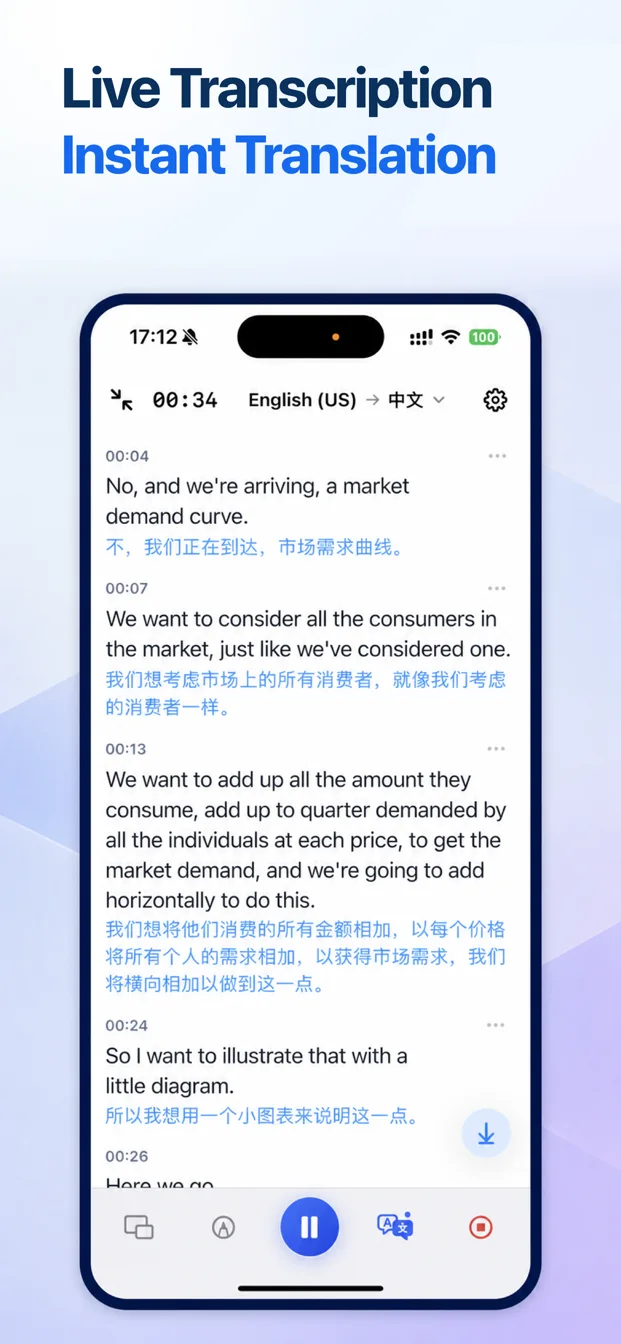
See timestamped speech and supported translations while the lecture is still happening, so unfamiliar language is easier to follow.
BeginClass does not impose minute caps, word limits, or session quotas. Device storage, battery, system capabilities, and available models still apply.
Install the app and begin. There is no registration, login, membership, subscription, or cloud project to manage.
Automated transcription and translation can make mistakes. Language, accent, audio quality, background noise, device, and Apple system models affect results. Review important names, numbers, quotations, and conclusions.
From live lecture to useful notes
BeginClass combines live understanding with a complete review workflow instead of leaving you with a folder of disconnected recordings.
Turn a teacher’s voice into timestamped text and show supported translations alongside it. Add bookmarks whenever the lecture reaches something important.
Read tutorial
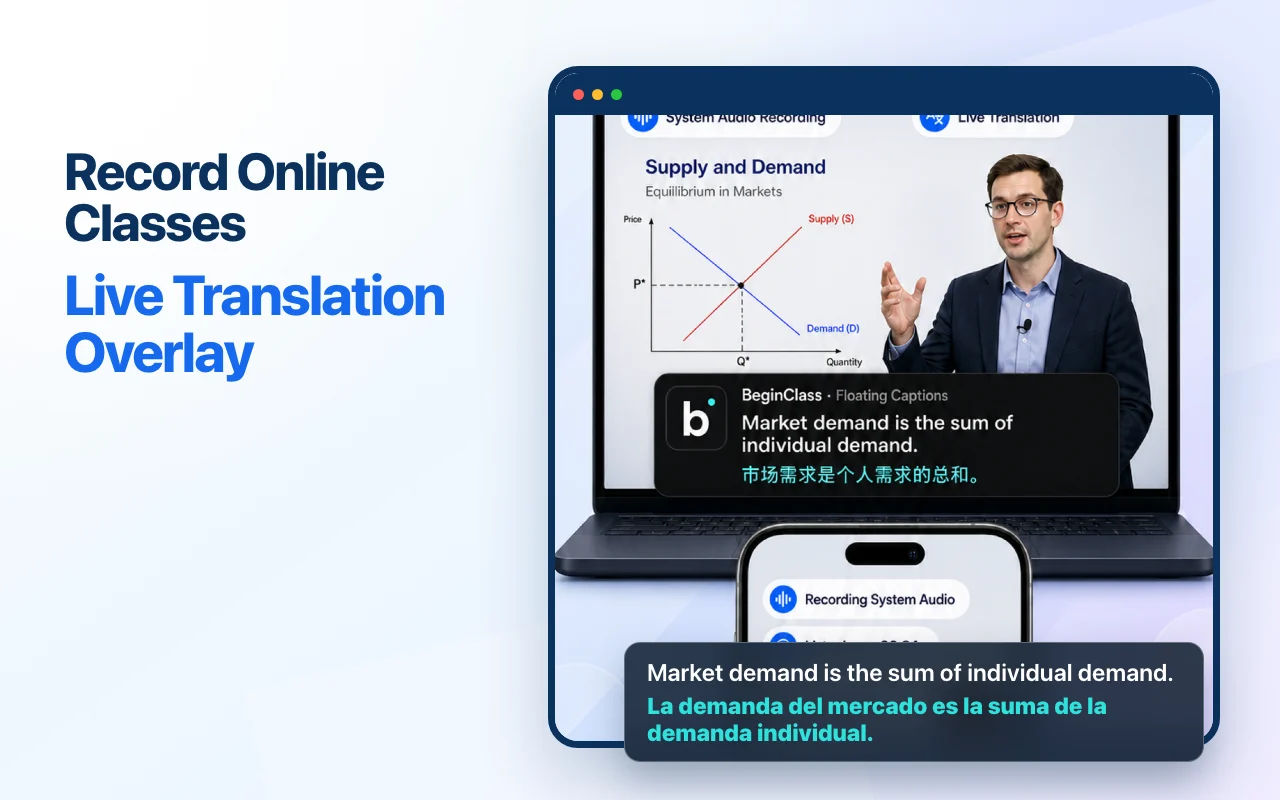
Choose an allowed system-audio source and keep captions visible above the class. BeginClass processes audio and does not save the visual content of your screen.
Read tutorial
Keep the recording, transcript, translation, and bookmarks in one note. Listen again while the corresponding text stays close at hand.
Read tutorial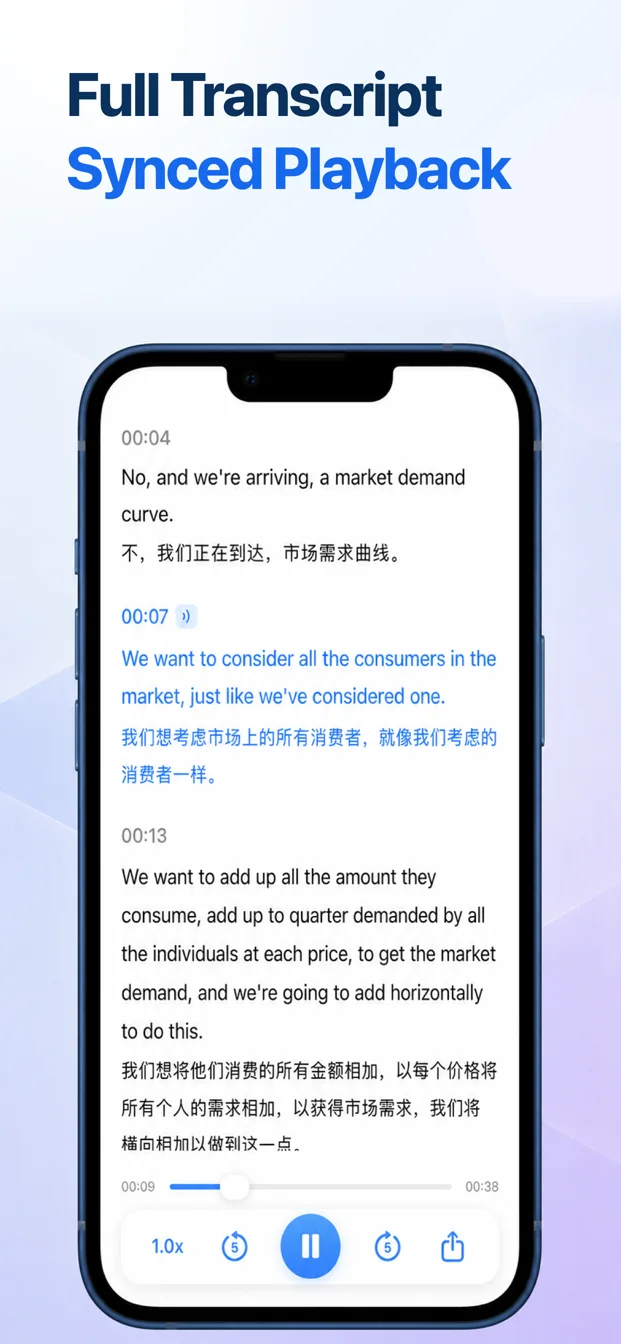
Bring in a lecture recording, seminar, interview, or course video. Supported local files are transcribed with Apple’s on-device speech technologies.
Read tutorial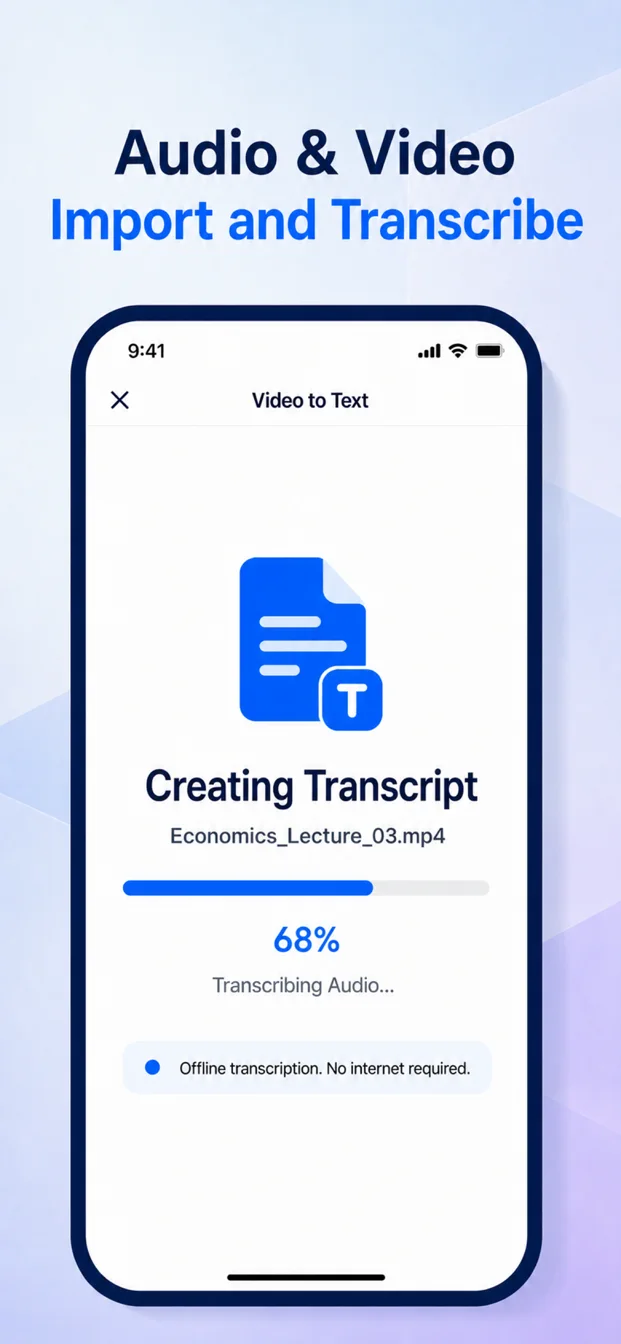
After class
Generate an AI class summary manually, or let enabled automatic processing organize an eligible lecture after class. BeginClass sends the current transcript through its AI service for that request, then keeps the result with the note for review.
More tools for learning across languages
Recognize and translate text from slides, handouts, whiteboards, and images.
Use two-way speech recognition and translation for study discussions and everyday communication.
Find notes by title or transcript, then export text, audio, or both.
How it works
Choose the source, follow the live text, then return to a complete note after class.
Use the microphone, an allowed system-audio source, or a local audio or video file.
Watch timestamped speech appear, enable translation when needed, and bookmark important moments.
Review the recording with its transcript, translate saved text, generate a summary, or export the note.
Built around real study
Keep up with fast, technical, or unfamiliar-language teaching.
Follow course audio with captions while the class stays visible.
Capture ideas, quotations, and follow-up points for later review.
Preserve decisions and compare the original words with translations.
Turn spoken detail into searchable notes without constant typing.
Listen, read, replay, and compare source text with translation.
Across your Apple devices
Download BeginClass for iPhone, iPad, and Mac from the same verified App Store listing.
Start a live lecture, import media, and keep captions visible with Picture in Picture.
Use a larger workspace for class, transcript reading, and split-screen study.
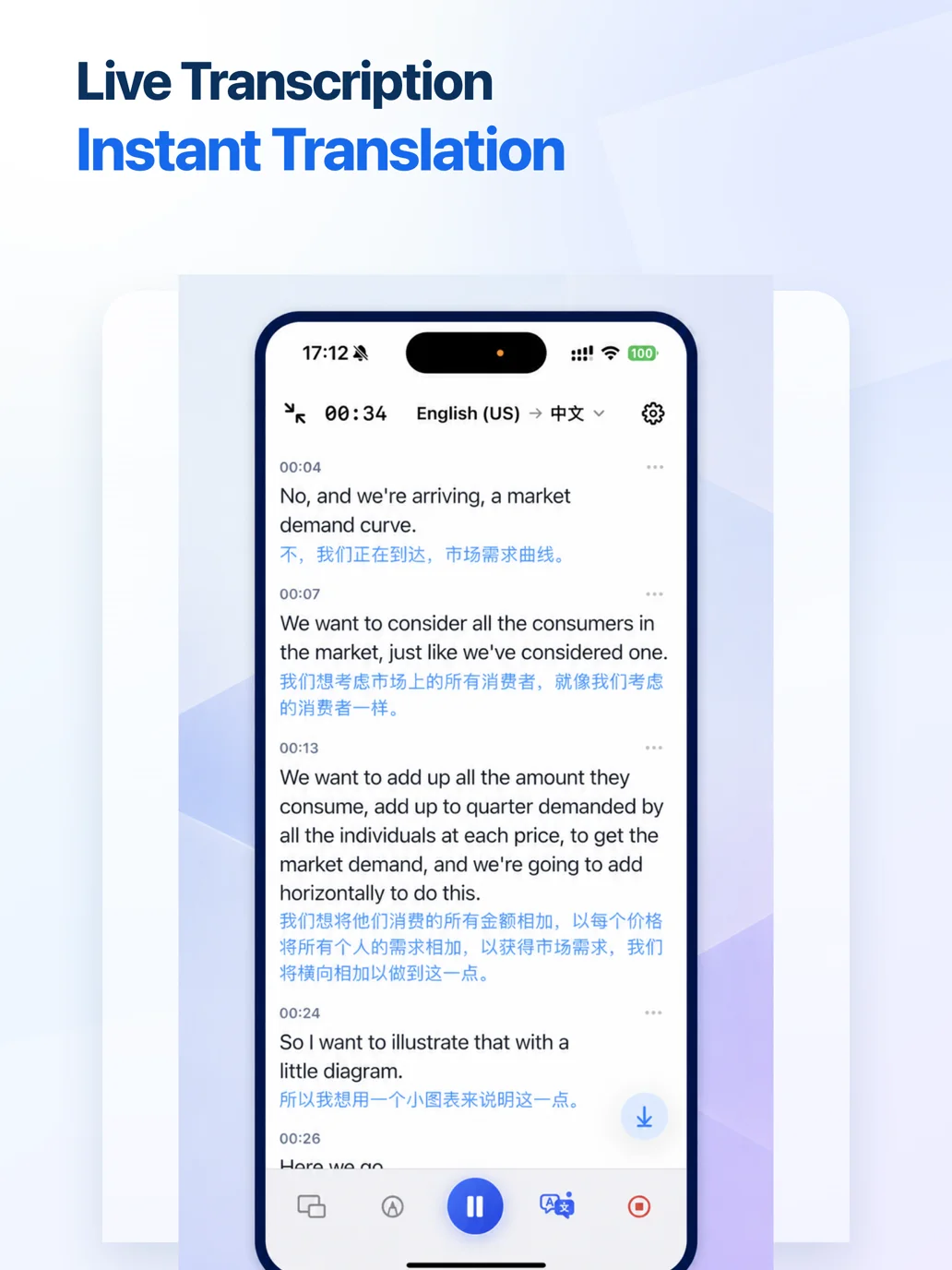
Transcribe microphone or permitted system audio and keep captions above the course window.
Clear processing boundaries
Live speech recognition, local-file transcription, OCR, and Apple translation primarily use system capabilities on your device. First-time model downloads, AI summaries, support, and App Store services require or may use a network connection.
Privacy PolicyQuestions, answered
Yes. The current version makes all listed features available without an account, login, membership, or subscription. BeginClass does not impose minute, word, or session quotas.
It refers to real-time speech transcription plus supported translation displayed while you listen. It is automated, not a human interpreter, and accuracy varies with language, accent, audio quality, noise, device, and system models.
After the required Apple language models are installed, core live speech recognition, local-file transcription, OCR, and supported system translation can work on-device. Initial model downloads, AI summaries, support, and store services need or may use the internet.
Core live and local-file transcription uses Apple’s on-device speech technologies and does not require uploading the recording for transcription. Recordings, transcripts, translations, and notes are generally stored in the app’s private storage.
The current transcript and necessary request information are sent through BeginClass’s AI service when you generate, regenerate, or retry a summary manually, or when an eligible lecture finishes while automatic summaries are enabled. Opening the AI Summary tab alone sends nothing.
On supported devices, you can use Apple’s system interface to choose a permitted audio source. BeginClass processes audio and does not save screen video. DRM-protected, silent, call-related, or unavailable audio may not work.
Yes. BeginClass is available for iPhone, iPad, and Mac from the verified App Store listing under Apple ID 6796263835.
No. Review important names, numbers, technical terms, quotations, and decisions before relying on or publishing the result.
BeginClass is completely free and available from the App Store for iPhone, iPad, and Mac.
Get BeginClass